Describe the deal.Get it signed.Get paid.
SettleInk drafts your contract with AI from a short brief, gets it signed on any phone, and lets your client pay from the contract. A cheaper alternative to DocuSign, built for people who work without a lawyer.
Or email aayush@settleink.com.

- Built on standard agreements written by lawyers*
- Legally binding e-signatures
- Free for design partners
* Our services agreement is based on Common Paper’s standard terms, written by a committee of attorneys. We are in talks with lawyers to review all our templates.
One deal runs across four tools, and nothing connects them.
Draft
A chatbot draft you are not sure about, or a lawyer you cannot afford for every deal.
Sign
A signing tool priced per seat, with a cap on how many contracts you send.
Invoice
A spreadsheet, typed again from the contract.
Get paid
A wire that takes days, and an email to chase it when it is late.
You match each payment to its contract by hand.
From brief to paid in three steps
Step 1
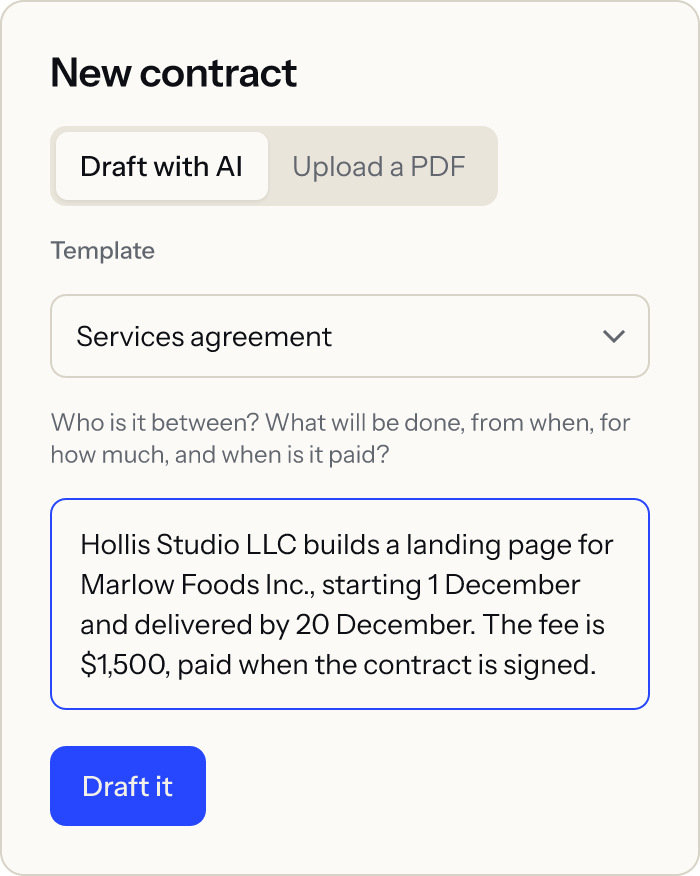
Describe the deal
Write it in plain words: who, what, by when, for how much. The AI fills a contract from pre-written clauses, and you check every value before it goes out.
Step 2
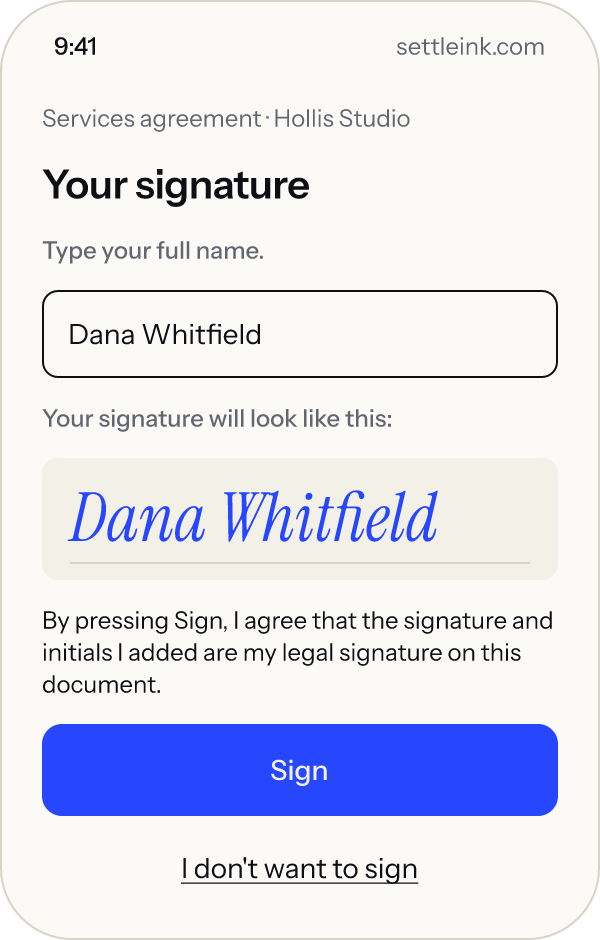
Send it for signing
Your client signs from an email link, on a phone, with no account. Both sides get a sealed signed copy.
Step 3
Get paid from the contract
Add a payment to the contract and your client pays from a link. When the money arrives, the contract shows Paid. Today your client pays in USDC, a digital US dollar, from a wallet into yours; card and bank payments are coming soon.
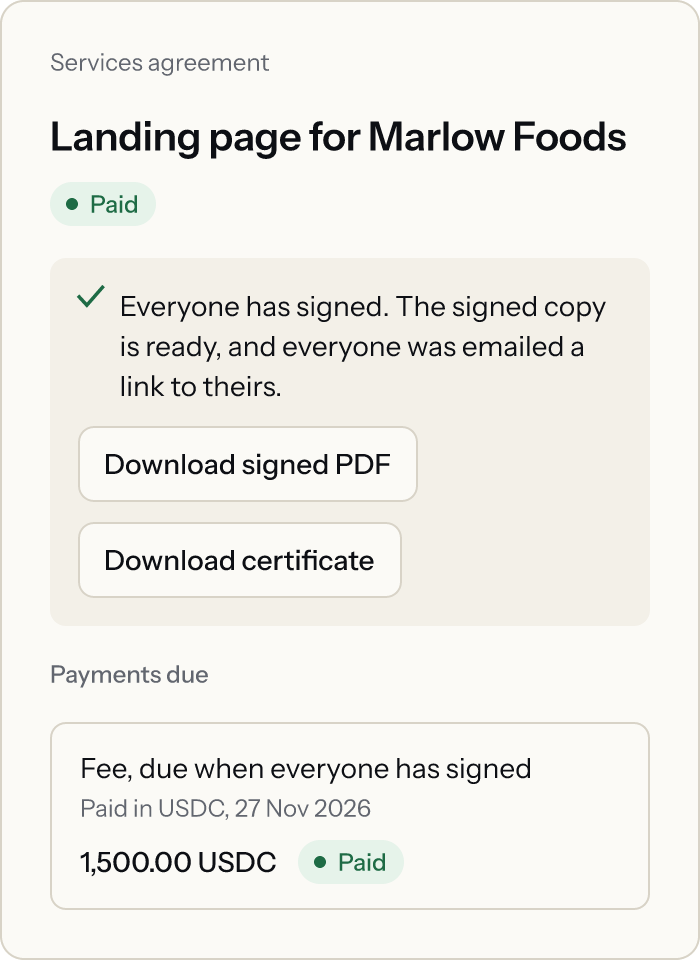


Screens show example data.
Everything one deal needs, in one place
AI drafting you can check
The AI picks clauses and fills in names, dates and amounts. It never invents clause wording, and you see every value before you send.
A plain-English summary
Your client sees what the contract says in a few short points, above the full text they sign.
Contracts for everyday deals
Services agreements, mutual NDAs, loan agreements and records of understanding, such as MOUs. More types are on the way.
Signing on any phone
No account and no app for your client. They read, agree and sign from one link.
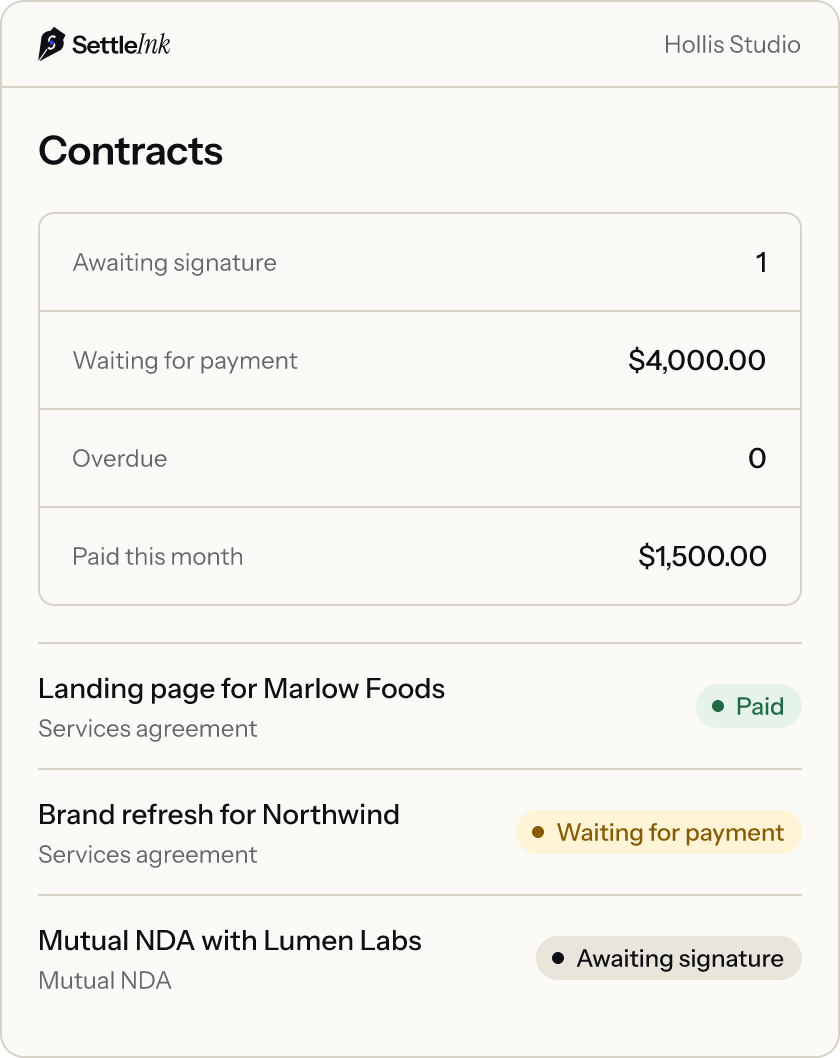
Every contract at a glance
See what is awaiting signature, waiting for payment or overdue, and what was paid this month.
Payment reminders
SettleInk emails your client before a payment is due and again if it is late, so you do not have to chase it.
Get paid in USDC
Optional add-on
Your client pays in USDC, a digital US dollar, straight to the wallet named in the signed contract. Fast across borders, and SettleInk never holds your money.
What we are building next
Card and bank payments
Coming soon
Your client pays by card or bank transfer, straight from the contract.
Invoices and receipts
Coming soon
Every payment comes with an invoice and a receipt, made from the signed contract.
Use it from your AI assistant
Coming soon
Draft, send and track contracts from ChatGPT, Claude and other AI assistants.
Escrow for milestones
Coming soon
Optional. Your client locks the payment before work starts, and it is released when they approve the work.
Proof anyone can check
Every signed contract carries its own evidence.
Digitally sealed copy
The signed PDF is sealed, so any later change shows.
Certificate and audit trail
A certificate records who signed, when, and each step they took.
A public check page
Anyone can confirm a copy is genuine. The file never leaves their device.
No invented clauses
The AI only chooses from pre-written clauses. It cannot write new contract text.

Questions
Still have a question?
aayush@settleink.comHow is SettleInk different from DocuSign?
It drafts the contract with you, gets it signed and can collect the payment from it, in one tool. It also costs less.
Does the AI write my contract?
Not from scratch. It builds your contract from clauses written in advance and fills in the details from your brief. You check every value before you send. SettleInk is not a law firm and does not give legal advice.
Are e-signatures legally binding?
For most business contracts, yes. A few documents, such as wills and some property deeds, still need a handwritten signature. Every SettleInk signature comes with a sealed copy and a certificate of who signed and when.
Does my client need an account?
No. Your client signs from an email link on any phone or computer.
Do I or my client need crypto?
Not to sign. Today, payment through SettleInk is in USDC, a digital US dollar: your client pays from a wallet into one you control. Card and bank payments, coming soon, will need no wallet.
Does SettleInk hold my money?
No. A direct payment goes from your client’s wallet to yours in USDC on Arc, Circle’s blockchain for USDC. SettleInk records it and marks the contract Paid.
How will escrow work?
Escrow is optional and coming soon. Your client locks the payment before work starts. It is held by code on the blockchain, not by SettleInk, and released when they approve the work or after a set time. If you disagree, an arbiter you both named decides.
Where are my contracts stored?
On Amazon Web Services in the US, encrypted. No SettleInk staff account can open your contract text: we see only details such as dates and status. When you use AI features, the text they need is sent to our AI provider.
What is a design partner?
One of the first freelancers and small teams to use SettleInk. Design partners use it free while we build it, and what they tell us decides what we build next.
What does it cost?
SettleInk is free for design partners. After that, plans will cost less than DocuSign.
Still have a question?
aayush@settleink.comUse SettleInk free as a design partner
We are working with a small group of freelancers and small teams. Tell us about the contracts you send.
Or email aayush@settleink.com